Making Spaceships in Blender
A look at my workflow for modelling spaceships in Blender, blockout, detailing, and bringing them into Unity for game projects.

Making Spaceships in Blender
I recently started on a new project in my own time, a co-op game involving flying to derelict space crafts and looting its still working components for a profit. The game is still in the prototype phase, testing out what works and what doesn't. Work's been busy (always good) and cranking out code all day, and contributing to a startup in the evening. I started on a non-code section of the game, to keep from burning out coding 24/7.
Starting creating some ships seemed like a great choice. I've always done 3D modelling as a hobby, something I got into before I even started coding, back in high school! It's a hobby I still try to make time for and enjoy doing, flexing my creative muscles.
The Concept
I started with a simple question here: what kind of ship? There's no end to inspiration amongst sci-fi for different choices of ships, but what sort of style do I want to go for? For a start, I decided I wanted a distinct look of ships between groups, I haven't decided on what groups yet. Humans and different species of aliens are an easy idea, or different factions of humans broken up amongst the solar system? Whatever the groups, I wanted an easily recognisable style for each, like if you put a Federation ship, Klingon ship, and Borg ship in a row, it's easy to see those were built by three different groups.
So to start, I thought close to home: humans, or maybe an Earth faction. I wanted a dingy, welded-together kind of look, similar to some of the ships and space stations seen in Doctor Who. The Impossible Planet two parter springs to mind, of a station "put together like a flat pack wardrobe". I liked the idea of Earth suddenly getting access to some sort of engine/power generator making space flight easier across the globe, and instead of building brand new starships, they just retrofitted what they had. And that's where the idea started.
Giant warships, originally built for naval combat, with two big engines welded to the back of them so they can fly into space. Aircraft carriers with the same engines strapped to the back, with a lineup of smaller fighter jets, also with engines just welded on. I liked the idea of a familiar lineup of ships for this group. So that's where I started. Scaling things properly was my first task, so I started with the smallest. A fighter jet can be easily scaled against a person; once that's done, my aircraft carrier can be scaled to the fighter jets, and the warships scaled against the carrier. It made a nice flow of choices. So I began.
Choosing a Fighter
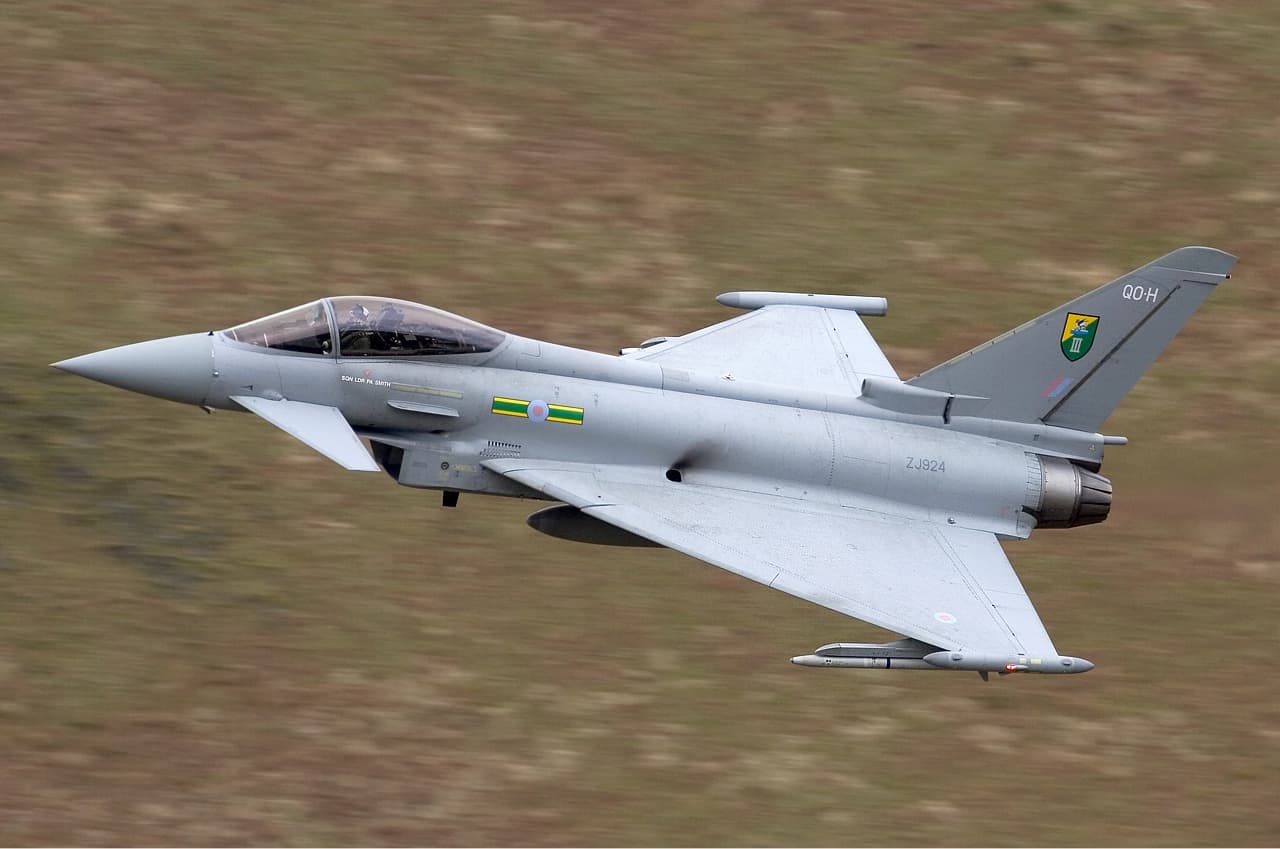
First thing: choose a fighter to base my design off. I wanted a fighter jet made in Britain, as I am British and making it. Options were limited and I settled on the Eurofighter Typhoon, a fighter jet produced in collaboration with European partners (citation needed... I did very little research on the details of this jet, I could be completely wrong, but let me live in ignorant bliss).
Blockout & Shape
So I began. I utilised PureRef, a free tool for dropping a bunch of reference photos into and looking between them. After collating my reference photos, trying to get multiple angles, and especially a picture of it with some people stood next to it for scale, I began. Opening up Blender and putting some reference photos of a side-on, front view, and top-down view in as references, so I can get the size right.
I then dropped my cylinder and started shaping the main body, added in some wings, whacked on a tail, and I had the basic shape of my jet. I was quite happy with how this turned out.
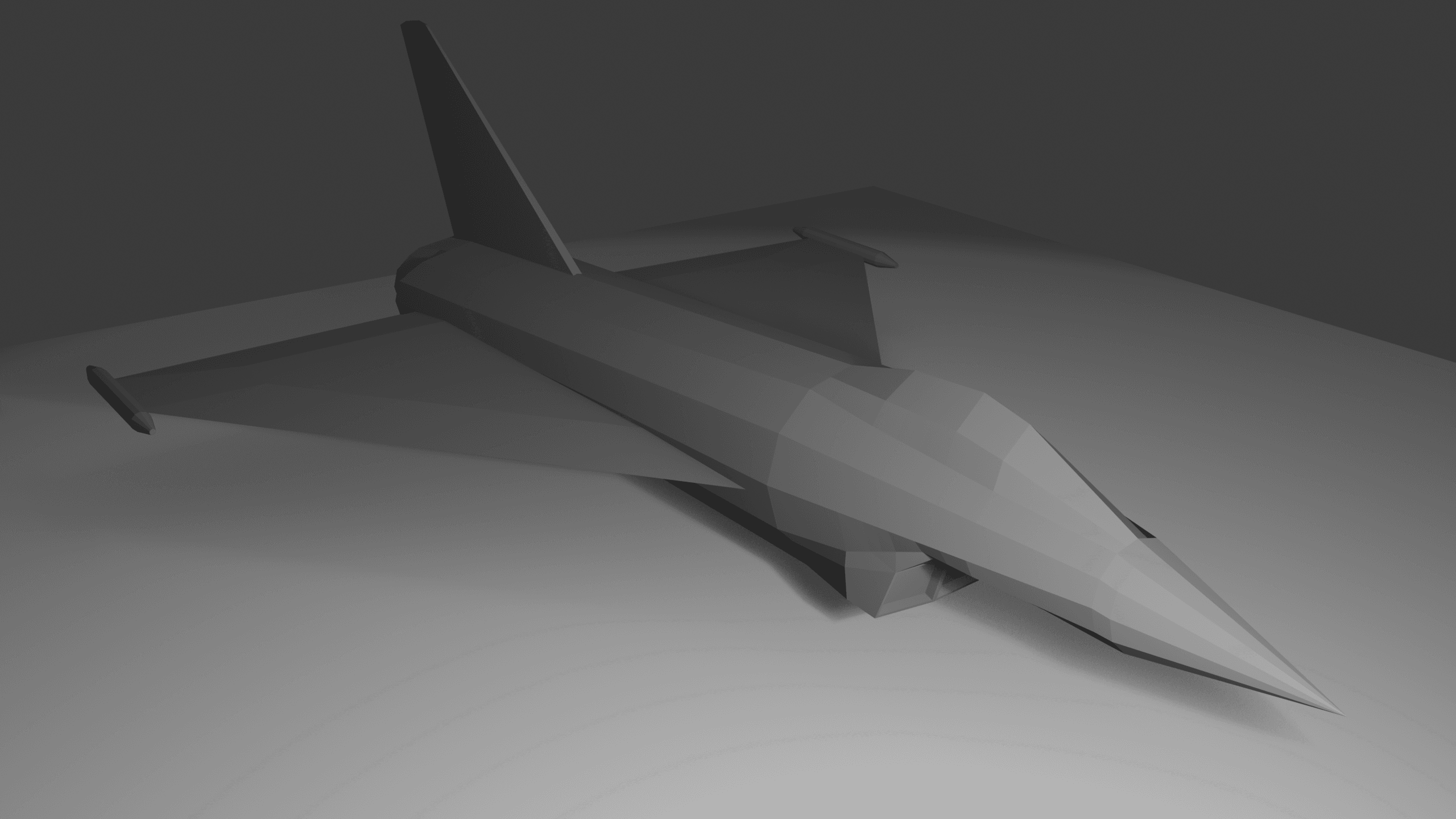
Well, I was happy... Though looking at this picture and the picture of the real jet, I realise I forgot to add its little front wings. I'll have to note that down for later...
The Engines
My next step was deciding on the engine: do I keep the existing rear thrusters, do I add a larger engine somewhere? In the end I decided to go for the welded-on approach, with two hulking engines, inspired by those on the space shuttle, welded onto the rear of the jet on some mounts.
For this I decided again to stick to an existing look. Though I think they're being phased out for more sleek thrusters, I really like the look of the older, pipes everywhere, intertwining, messy thrusters used historically. So I settled on that look.
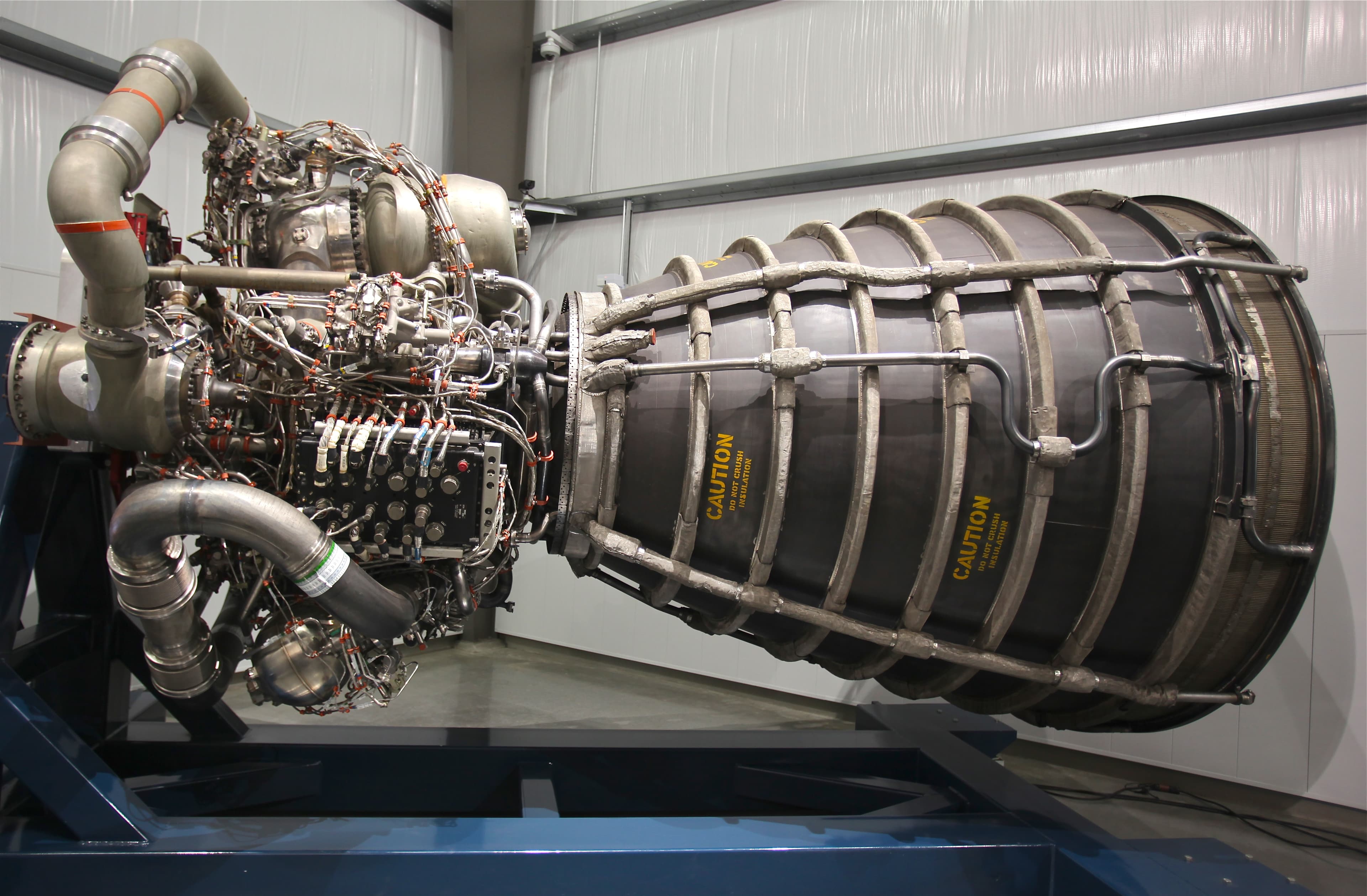
I popped a cylinder on the rear of the ship, coming out of where the original thruster would have been, almost like it's been shoved inside and welded in place. I mirrored it to apply to both of the rear thrusters and extended them up and around, ending either side of the tail wing. Added a final cylinder to get the rough shape of the engine, which at this stage looks like a giant bomb, since the mess of pipes is just a round blob. But we can see the shape take place here. With the final shape complete.
Wrapping Up
Finally, I separated the cockpit's glass window from the rest of the mesh, smoothed it out with some extra detail, and made it transparent. With the final shape and an easy view inside, I plopped a Rigify model of a person inside and made sure he fit nicely inside the ship. I added a solidify modifier to the main body to give it some thickness, and everything fit nicely.
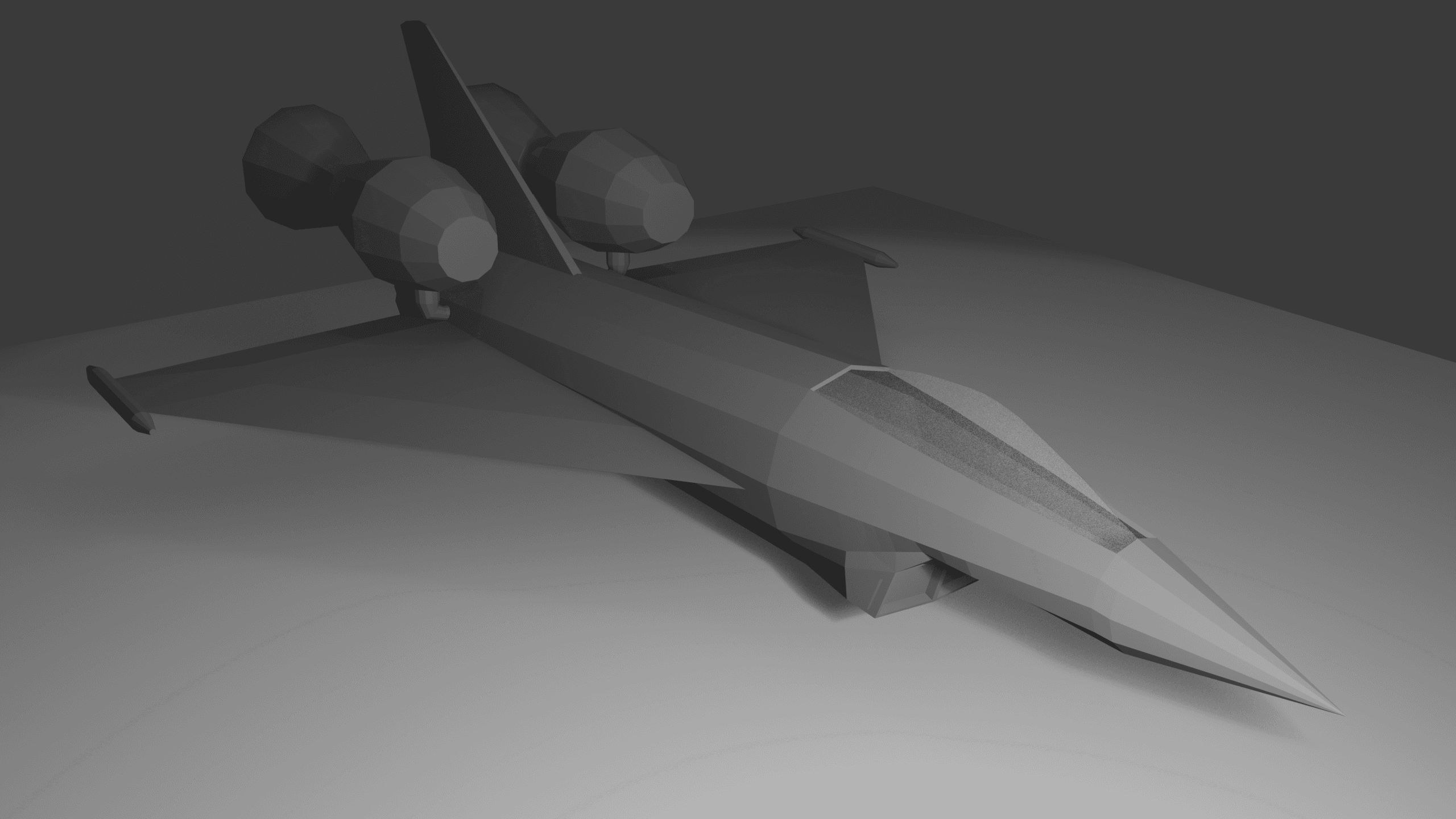
This was a fun night of work. I really enjoyed getting my feet stuck back into Blender. Next up is getting the details in: some basic pipes on the engine to give it its basic look, the missing smaller front wings, then getting stuck into making it look like a proper spaceship.
Ideas are brimming on what I can do with this. With the thrusters on the outside and the power source being a fictional item I can choose the size of, I can make it a smaller unit, freeing up the inside of the hull, making the length of the jet now mostly empty. I could add a bed? Some storage. If I remove the copilot seat it makes an easy place to climb down. Opens the opportunity for this ship to, as well as sitting on a carrier, be a personal vessel.
I'm excited to continue this project and really enjoyed messing around in Blender. Really looking forward to the next steps: detailing and hard surface. Getting the materials in, the metal hull, the glass of the cockpit, smaller details scratching the ship. Historically I've always done more low-poly, not super detailed pieces, so this will be a fun challenge learning more in this area. Then, getting into Unity. Maybe making a basic flight controller so I can fly it around. I'm not sure flying will be a part of the game, but I built the ship and I want to fly it dammit!